Automatic Entity Encryption in Mendix Using Generalization

Introduction
This article demonstrates how to build an automatic encryption system using Mendix generalization that encrypts entities before storage and decrypts them on demand without modifying individual entity logic.
Traditional attribute-level encryption in Mendix requires the following:
Manual encryption/decryption logic for each entity
Repetitive code across multiple entities
Difficult maintenance when encryption standards change
Risk of forgetting to encrypt sensitive fields
Here we create an AutoCrypt module that provides the following:
Automatic encryption on entity commit via before-commit event handlers
On-demand decryption when viewing or editing data
Dynamic serialization and deserialization of entity attributes
Support for any entity through generalization
Association-aware encryption that follows object graphs
Zero-configuration encryption for new entities
The system uses Mendix generalization to create a base entity with encryption capabilities. Entities generalized from this base type automatically gains encryption.
Original article here.
Implementation
Create a new module named AutoCrypt to contain all encryption logic.

Base Entity
Create entity AutoCrypt.Entity with the following attributes:
Encrypted(String) - Stores the encrypted JSON representationDecrypted(Boolean) - Indicates whether the entity is currently decrypted
All entities requiring encryption should generalize from this entity.
On the AutoCrypt.Entity, configure a before commit event handler as follows:
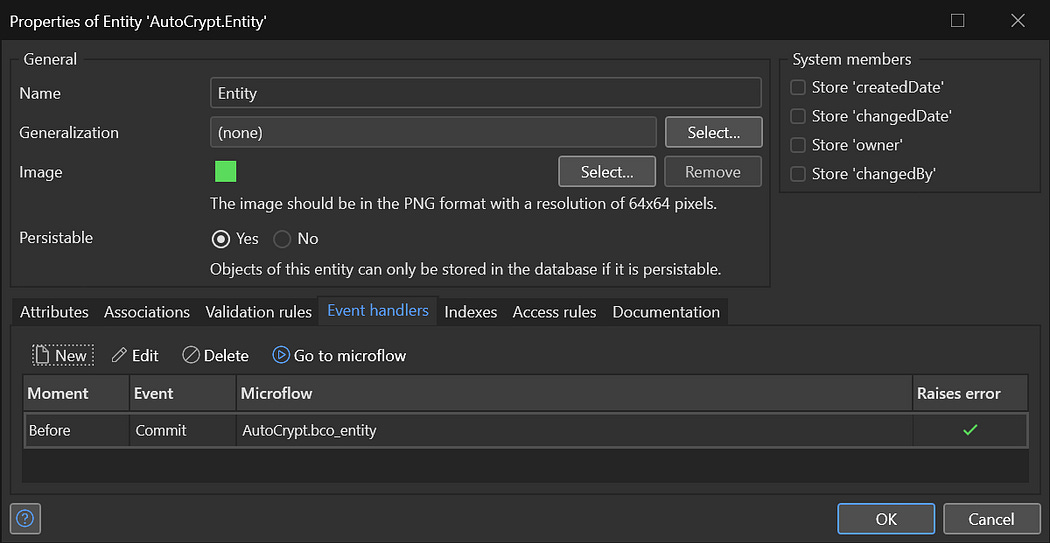
Configuring Event Handlers
This ensures encryption happens automatically whenever any specialized entity is saved.
The Encryption Microflow
Next create the before commit microflow AutoCrypt.BCO_Entity:
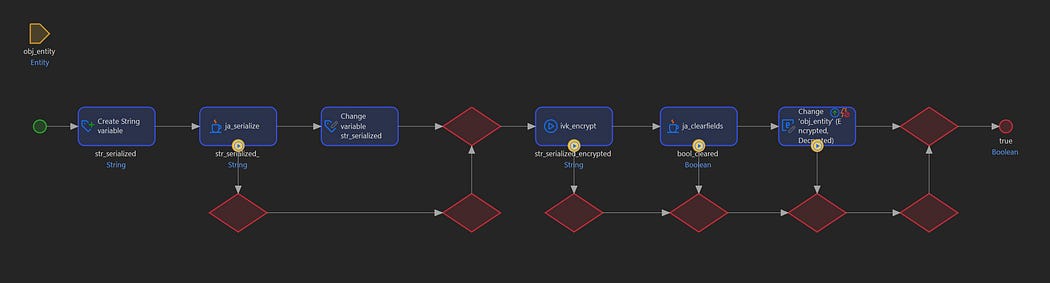
Before Commit Microflow
Here we take a parameter obj_Entity (AutoCrypt.Entity) which will be the object to encrypt.
The logic works as follows:
Check if
$obj_Entity/Decrypted = true
If true, entity is in plaintext and needs encryption
If false, already encrypted, skip processing
Serialize the entity to JSON dynamically using the serialization Java Action
Encrypt the JSON string using encryption Java Action
Clear all entity fields except
EncryptedandDecrypted.This is done dynamically using a Java Action using reflection.Set
$obj_Entity/Encryptedto the encrypted stringSet
$obj_Entity/Decryptedto false
Decryption Microflow
For decryption we create microflow AutoCrypt.IVK_Entity_Decrypt:
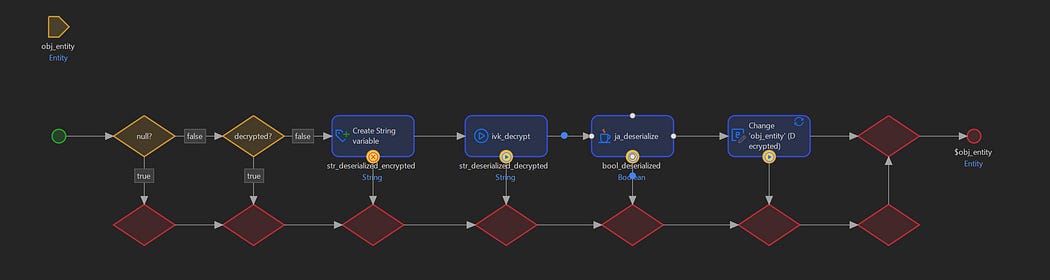
Decryption Microflow
The parameterobj_Entity (AutoCrypt.Entity) is the object to be decrypted. The logic works as follows:
Get the encrypted data from
$obj_Entity/EncryptedDecrypt the string to get JSON
Deserialize JSON back into the entity object dynamically using a Java Action
Set
$obj_Entity/Decryptedto trueReturn the decrypted entity
Specialized Entities
Next you can create generalizations of AutoCrypt.Entity. With the serialization and deserialization Java Actions correctly implemented you should be able to handle various field and association types:
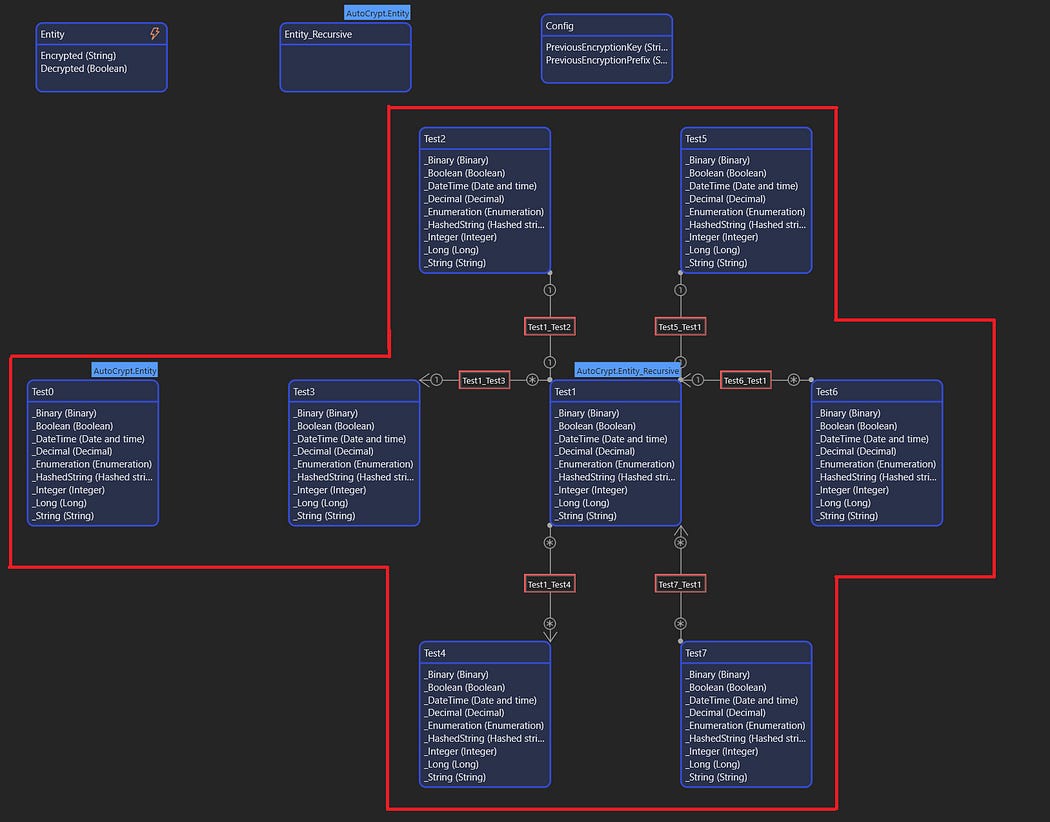
Testing Generalizations
Create Decryption Snippet
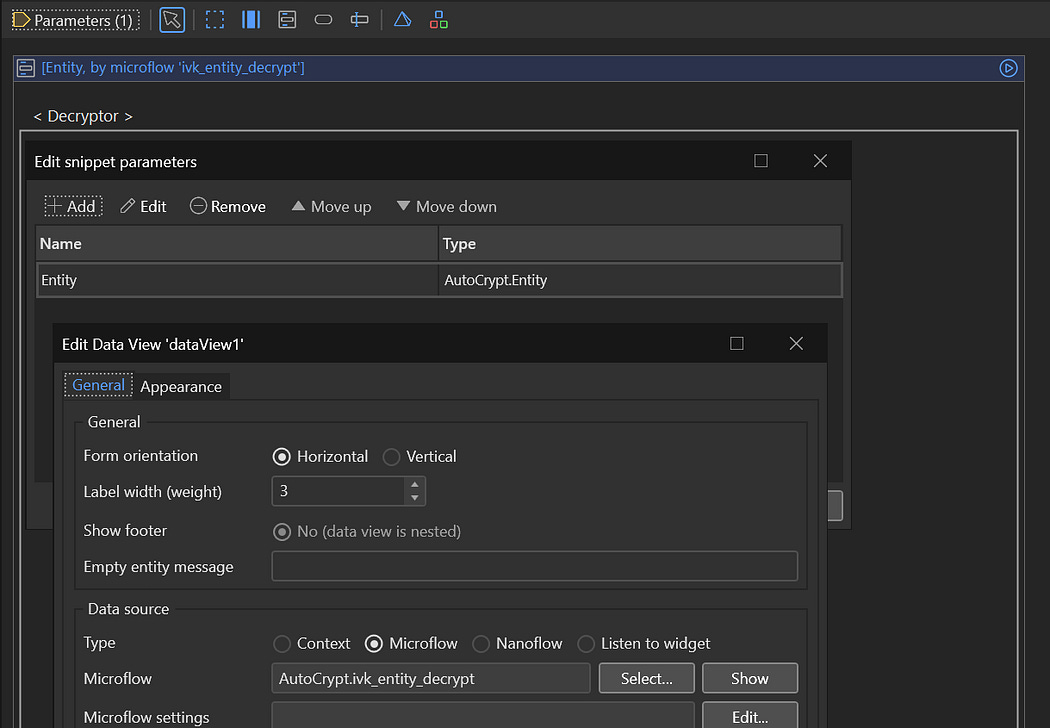
Decryption Snippet
Create a reusable snippet AutoCrypt.SNP_Decrypt:
This snippet takes a parameter Entity (AutoCrypt.Entity) and calls the decryption microflow. Simply adding it to a dataview will invoke the microflow and decrypt the fields.
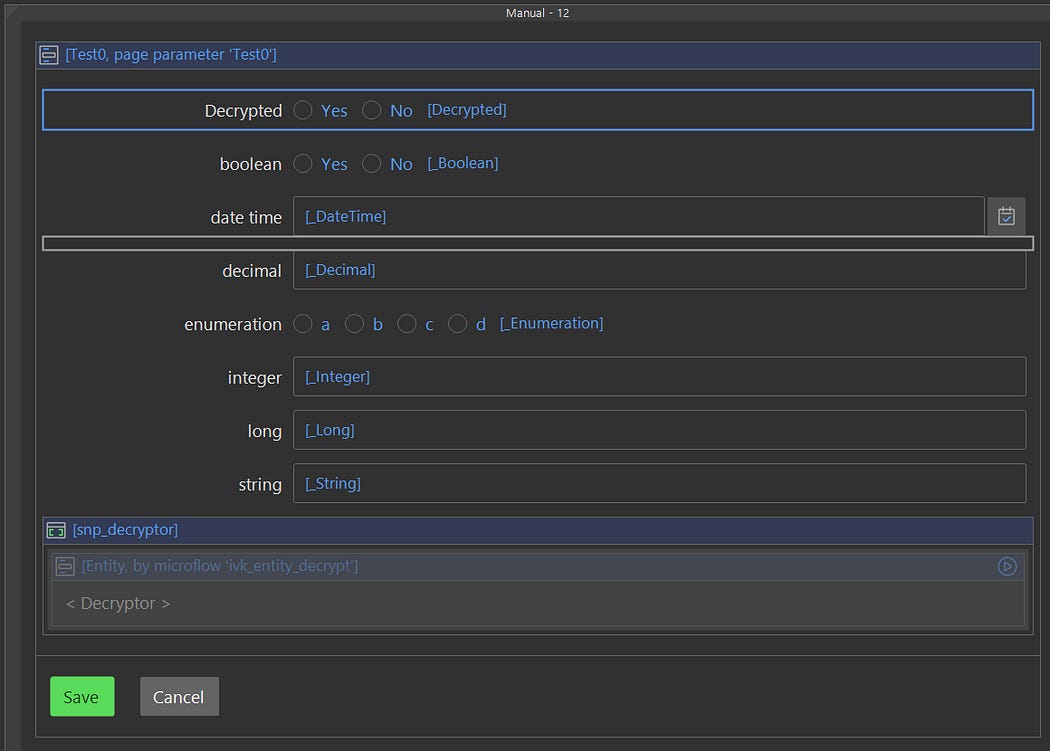
Using the Snippet
Clicking the Save button will automatically encrypt the entity.
End Result
To utilize the automatic encryption, all you have to do is the following:
Derive an entity from the AutoCrypt.Entity
Create an overview page for the new entity
Create an edit page for the new entity
Place the decryption snippet in the main Data View of the editing page
That is all that is required. Automatic encryption and decryption should work in the background.


Comments
Post a Comment