Consuming an OData Service in SAP CAP

Introduction
When building a CAP applications that needs to talk to an external OData service, one of the first things you need to solve is dealing with the schema. You can use cds import to do this for you. The original article may be found here.
Given an OData metadata document (a $metadata XML file), cds import converts it into a .cds file for you to work with in CAP:
cds import ./MendixService.xml --as cds --out srv/externalYou can also pass it the $metadata URL directly:
cds import ‘https://user:pass@some/site/$metadata’ --as cds --out srv/externalOnce imported, you can use the service in your CAP project.
Remote OData Provider: Mendix
I used Mendix to quickly expose an OData service. We start by setting up a simple test entity:
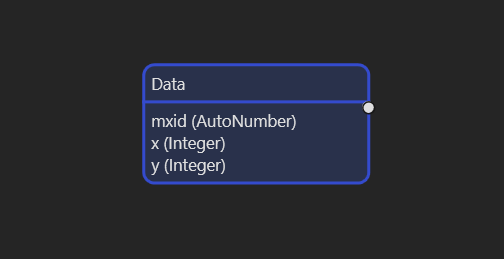
With this in place, we set up an OData service as follows:
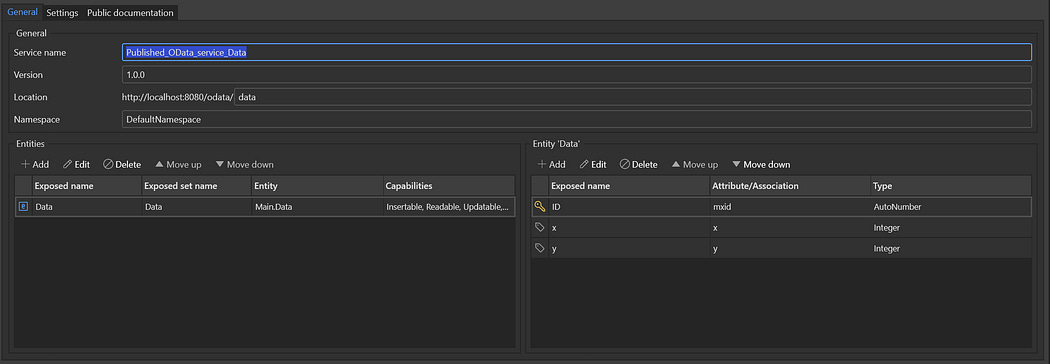
Entity Exposed through OData
We set the service up for OData-4 with Basic Authentication:
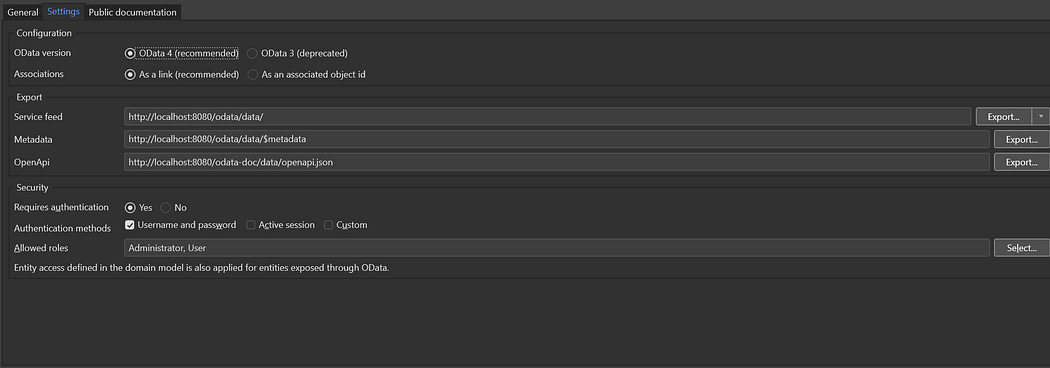
OData Settings
Running the project will provide the OData service and $metadata endpoint.
On the CAP side, the goal is to expose this entity through a CAP service and delegate all reads and writes to Mendix.
Consuming the Service From CAP
Start by getting the metadata from the remote service:
#!/bin/bash
USER=MxAdmin
PASS=1
curl -s -u “$USER:$PASS” http://localhost:8080/odata/data/\$metadata > MendixService.xml
Next we import the metadata using cd importas follows:
cds import ./MendixService.xml --as cds --out srv/externalThis generates srv/external.cds , which should look something like the following:
/* checksum : afc6b7830464a3fbaa91f0aa7cbf29a2 */
@cds.external : true
@Capabilities.BatchSupported : false
@Capabilities.CrossJoinSupported : false
@Capabilities.QuerySegmentSupported : true
@Capabilities.SupportedFormats : [ ‘application/json’ ]
service MendixService {
  @cds.external : true
  @cds.persistence.skip : true
  entity Data {
    key ID : Integer64 not null;
    x : Integer64;
    y : Integer64;
  };
};
Next, ensure the following in package.json:
“cds”: {
  “requires”: {
    “MendixService”: {
      “kind”: “odata-v4”,
      “model”: “srv/external.cds”,
      “credentials”: {
        “url”: “http://localhosto/odata/data”
      }
    }
  }
}
For the username and password, you can add that in .cdsrc-private.json:
{
  “requires”: {
    “MendixService”: {
      “credentials”: {
        “username”: “myuser”,
        “password”: “mypassword”
      }
    }
  }
}
Ensure .cdsrc-private.json is added to your .gitignore
Define Service
Next, define a service at srv/data-service.cds:
service DataService {
  entity Data {
    key ID : Integer64 not null;
    x     : Integer;
    y     : Integer;
  }
}
Implement Service
Create srv/data-service.js. For READ, UPDATE, and DELETE, CAP’s remote service adapter handles query translation cleanly.
const cds = require(’@sap/cds’);

module.exports = cds.service.impl(async function (srv) {

  const mendix = await cds.connect.to(’MendixService’);
  const { Data } = mendix.entities;

  srv.on(’READ’, ‘Data’, async (req) => {
    return mendix.run(SELECT.from(Data));
  });

  srv.on(’CREATE’, ‘Data’, async (req) => {
    return mendix.run(INSERT.into(Data).entries(req.data));
  });

  srv.on(’UPDATE’, ‘Data’, async (req) => {
    const { ID } = req.data;
    await mendix.run(UPDATE(Data).set(req.data).where({ ID }));
    return mendix.run(SELECT.one.from(Data).where({ ID }));
  });

  srv.on(’DELETE’, ‘Data’, async (req) => {
    const { ID } = req.params[0];
    return mendix.run(DELETE.from(Data).where({ ID }));
  });

});
You can now run the server using cds watch
Testing
You can use the following OData requests for testing:
# READ
curl “http://localhost:4004/odata/v4/data/Data”
# CREATE
curl -X POST “http://localhost:4004/odata/v4/data/Data” \
-H “Content-Type: application/json” \
-d ‘{”x”: 1, “y”: 2}’# UPDATE
curl -X PATCH “http://localhost:4004/odata/v4/data/Data(10)” \
-H “Content-Type: application/json” \
-d ‘{”x”: 99}’# DELETE
curl -X DELETE “http://localhost:4004/odata/v4/data/Data(10)”With logging enable on the remote server, you should be able to verify and debug the remote calls:
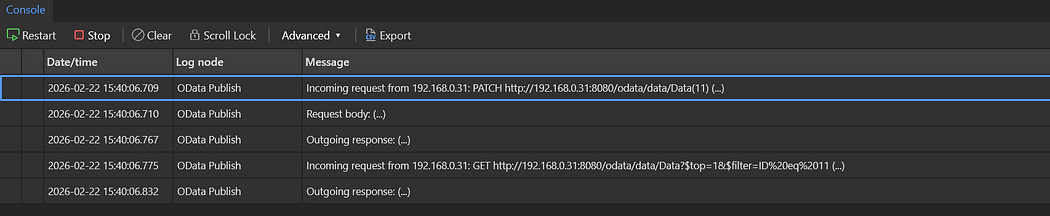
Mendix Server Logs


Comments
Post a Comment