Dynamic Script Execution in Mendix

Introduction
Mendix applications run on the Java Virtual Machine, which means code is compiled rather than interpreted at runtime. While Mendix excels at creating dynamic content, executing code dynamically presents unique challenges. Many compiled languages address this through embedded scripting engines — Duktape for C/C++, GoJA for Golang, and for Java, options like Rhino, GraalVM, and Nashorn.
Nashorn, the successor to Rhino, enables reflective JavaScript programming within Java applications. It supports full ES5.1 functionality combined with direct access to Java APIs. This article demonstrates how to integrate Nashorn into Mendix, create a script management interface, and leverage runtime code execution for powerful use cases.
Original article here.
Understanding Nashorn
Nashorn is a JavaScript engine built into Java 8 through Java 14 (deprecated in Java 11, removed in Java 15). It provides:
Full ES5.1 JavaScript compatibility
Direct Java interoperability
Reflection capabilities for Java classes
High-performance script execution
Note: For Java 15+, consider migrating to GraalVM’s JavaScript engine.
Implementation Overview
We’ll build a complete scripting system consisting of:
A script repository with version control
An integrated code editor
Script execution engine
Communication mechanisms between scripts and microflows
Step-by-Step Implementation
Create a Scripts module with the following entities:
Script Entity:
Title(String) - Script nameContent(String, Unlimited) - JavaScript codeDescription(String) - Purpose documentationLastModified(DateTime) - TimestampIsActive(Boolean) - Enable/disable flag
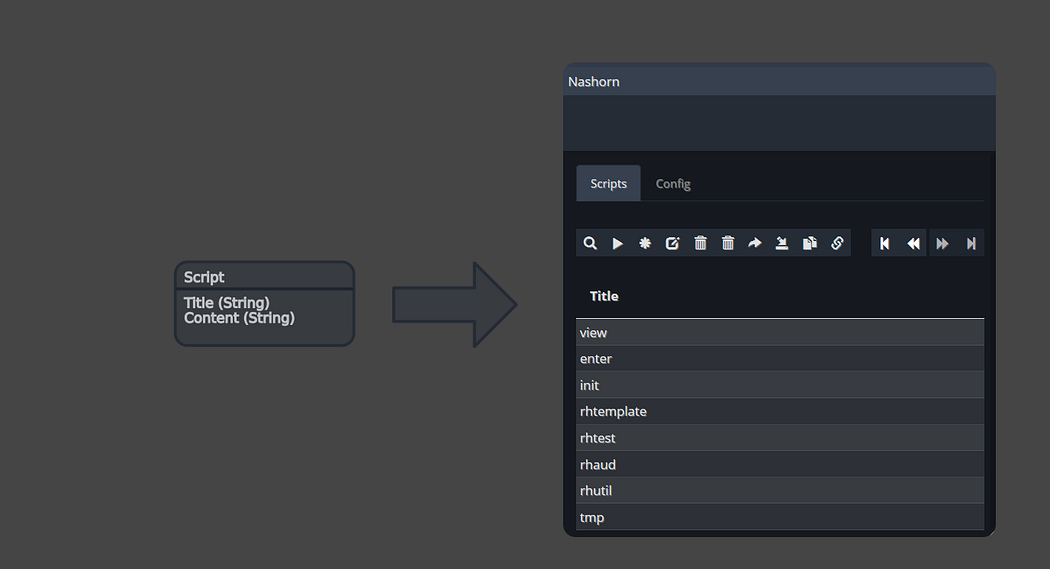
Domain Model
Next create an overview page displaying all scripts:
Add a data grid showing all Script objects
Include columns: Title, Description, LastModified, IsActive
Add buttons for Create, Edit, and Execute operations
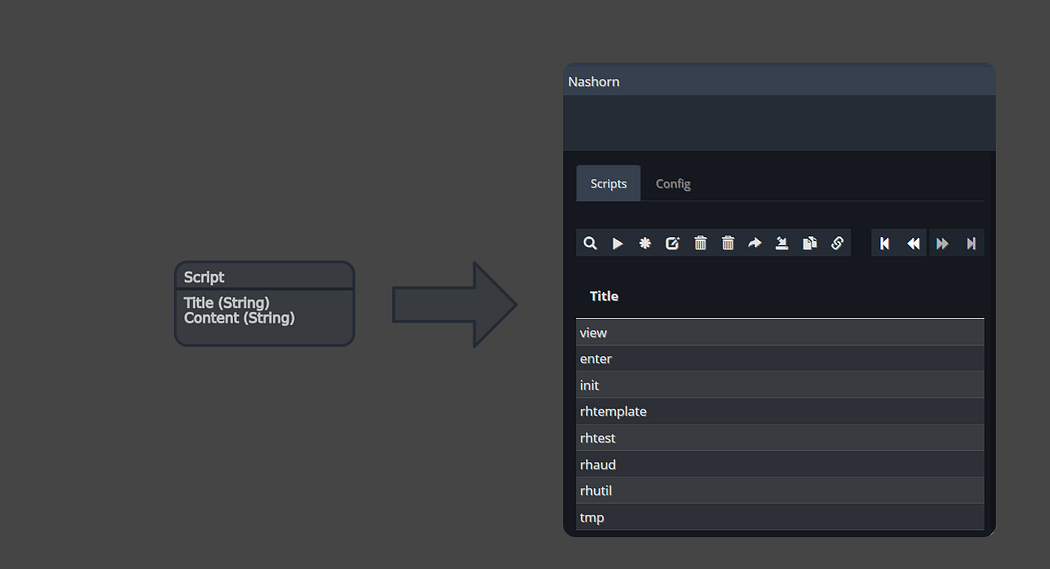
Simple Domain Model
Next we build a detail page for editing scripts:
Basic Approach: Use Mendix’s built-in text area widget with multi-line support.
Advanced Approach: Create a custom widget for a code editor widget such as. You can take a look at the following libraries:
Ace Editor
CodeMirror
Monaco Editor
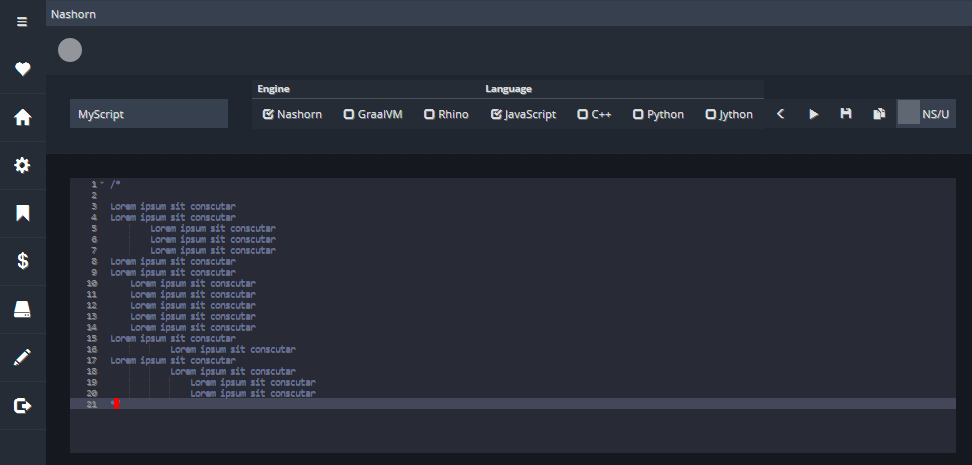
Code Editor
Create a microflow ACT_ExecuteScript that:
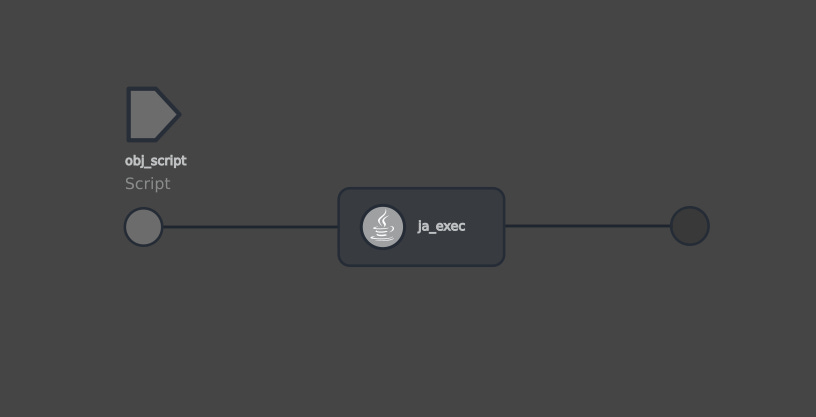
Execution Microflow
The next step is to create a Java Action ExecuteScript with the following signature:
Parameters:
ScriptContent(String) - The JavaScript code to execute
Return Type: Boolean (true on success)
Java Implementation:
import com.mendix.systemwideinterfaces.core.IContext;
import com.mendix.webui.CustomJavaAction;
import javax.script.ScriptEngine;
import javax.script.ScriptEngineManager;
import javax.script.Bindings;
import javax.script.ScriptException;
public class ExecuteScript extends CustomJavaAction<Boolean> {
private String scriptContent;
public ExecuteScript(IContext context, String scriptContent) {
super(context);
this.scriptContent = scriptContent;
}
@Override
public Boolean executeAction() throws Exception {
try {
// Create Nashorn engine
ScriptEngineManager manager = new ScriptEngineManager();
ScriptEngine engine = manager.getEngineByName(”nashorn”);
// Create bindings to expose Java objects to JavaScript
Bindings bindings = engine.createBindings();
// Expose the current context as ‘root’
bindings.put(”root”, this);
// Evaluate the script
engine.eval(scriptContent, bindings);
return true;
} catch (ScriptException e) {
throw new RuntimeException(”Script execution failed: “ + e.getMessage(), e);
}
}
// Expose useful methods to scripts
public IContext getContext() {
return this.context;
}
}Basic Scripting Examples
Test the setup with a basic script:
// Access Mendix logging API
var logger = com.mendix.core.Core.getLogger(”Nashorn”);
// Log messages in a loop
for (var i = 0; i < 5; i++) {
    logger.info(”Hello from Nashorn - iteration “ + i);
}
This demonstrates accessing Java APIs from JavaScript and using Mendix’s logging infrastructure.
You can also create a custom HTTP endpoint at runtime:
// Import required Java classes
var Core = com.mendix.core.Core;
var RequestHandler = com.mendix.externalinterface.connector.RequestHandler;
// Define request handler implementation
var handler = new RequestHandler() {
    processRequest: function(request, response, path) {
        // Read query parameters
        var name = request.getParameter(”name”);

        // Set response properties
        response.setContentType(”text/plain”);
        response.setStatus(200);

        // Write response
        var greeting = “Hello, “ + (name != null ? name : “Guest”) + “!”;
        response.getWriter().write(greeting);
    }
};
// Register the handler
Core.addRequestHandler(”foobar/”, handler);
Access the endpoint at: http://localhost:8080/foobar/
To modify behavior, update the script and re-execute. The garbage collector will clean up the previous handler instance.
Query the database metadata and expose statistics via REST is also possible:
var Core = com.mendix.core.Core;
var RequestHandler = com.mendix.externalinterface.connector.RequestHandler;
var statsHandler = new RequestHandler() {
    processRequest: function(request, response, path) {
        // Get database connection
        var connection = Core.getDataStoreConfiguration().getDatabaseConnection();
        var metadata = connection.getMetaData();

        // Collect statistics
        var stats = {
            totalSize: 0,
            tables: []
        };

        var tables = metadata.getTables(null, null, “%”, [”TABLE”]);
        while (tables.next()) {
            var tableName = tables.getString(”TABLE_NAME”);
            // Calculate table size (implementation depends on database)
            stats.tables.push({
                name: tableName,
                rowCount: getRowCount(tableName)
            });
        }

        // Return JSON response
        response.setContentType(”application/json”);
        response.getWriter().write(JSON.stringify(stats));
    }
};
Core.addRequestHandler(”dbstat/”, statsHandler);
Advanced Capabilities
Nashorn provides full reflection capabilities for inspecting Java classes:
// Helper function to list class methods
function listMethods(obj) {
    var clazz = obj.getClass();
    var methods = clazz.getMethods();
    var methodNames = [];

    for (var i = 0; i < methods.length; i++) {
        methodNames.push(methods[i].getName());
    }

    return methodNames.sort();
}
// Example: Inspect the root context
var contextMethods = listMethods(root.getContext());
print(JSON.stringify(contextMethods, null, 2));
This technique is valuable for:
Discovering available APIs
Debugging Java objects
Building dynamic integrations
Prototyping solutions quickly
Another interesting example is retrieving and processing license information:
// Access license manager
var licenseManager = com.mendix.core.Core.getLicenseManager();
var license = licenseManager.getLicense();
// Extract license data
var licenseInfo = {
    maxUsers: license.getMaximumNumberOfNamedUsers(),
    expirationDate: license.getExpirationDate(),
    isValid: license.isValid()
};
// Send notification if approaching limits
if (licenseInfo.maxUsers - getCurrentUserCount() < 10) {
    sendWarningEmail(licenseInfo);
}
function getCurrentUserCount() {
    var xpath = “//Administration.Account”;
    return com.mendix.core.Core.retrieveXPathQuery(root.getContext(), xpath).size();
}
Remote Script Execution
Enable remote script execution for administrative purposes:
Create a secure REST endpoint that accepts script content
Implement authentication and authorization
Execute the submitted script
Return execution results
Remote script execution poses significant security risks. Implement proper authentication, input validation, and audit logging.
With this implemented you can deploy scripts using an HTTP client
deploy:
    @curl -X POST \
      -H “Authorization: Bearer $(API_KEY)” \
      -H “Content-Type: application/javascript” \
      --data-binary @./src/script.js \
      https://your-app.mxapps.io/api/execute-script
Microflow Communication
How can scripts communicate with calling microflows? Traditional approaches involve:
Writing to database entities (inefficient)
Using return values (limited)
It is possible to access and manipulate the calling microflow’s variables in scope directly using the following:
// Get the action stack
var actionStack = root.getContext().getActionStack();
var callerIndex = actionStack.length - 2;
var caller = actionStack[callerIndex];
// Verify we have the correct caller
var actionName = caller.getActionName();
print(”Caller: “ + actionName); // e.g., “MyModule.ACT_ProcessData”
// Set or create variables in the calling microflow
caller.setVariable(”ProcessedCount”, 42);
caller.setVariable(”ResultMessage”, “Processing complete”);
caller.setVariable(”CompletionTime”, new Date());
// Variables will be available in the microflow after script execution
The script accesses the action stack containing all executing actions, identifies the calling microflow by its position in the stack, then uses setVariable() to set values.
Nashorn scripts perform well in production environments when properly implemented.
Conclusion
Integrating Nashorn with Mendix enables powerful runtime code execution capabilities. While this approach requires careful security considerations, it unlocks use cases that would be difficult or impossible with standard Mendix development:
Dynamic endpoint creation
Rapid prototyping and testing
Database introspection and analytics
Complex integrations without custom Java Actions
Administrative automation tools


Comments
Post a Comment