Integrating Hugging Face AI into Mendix: A Practical Guide to Text Generation and Image Analysis

Introduction
This guide shows you how to integrate both text generation (LLMs) and vision capabilities (OCR/image analysis) into your Mendix applications.
Original article available here.
What is Hugging Face Inference Providers?
Hugging Face Inference Providers is a unified API that gives you access to many of AI models from various providers. Instead of managing multiple API keys and learning different APIs for each provider, you get one consistent interface powered by a single Hugging Face token.
Prerequisites
Start by setting up an account at huggingface.co. Next visit https://huggingface.co/settings/tokens/new and set up a token. You can choose the “Read” token type:
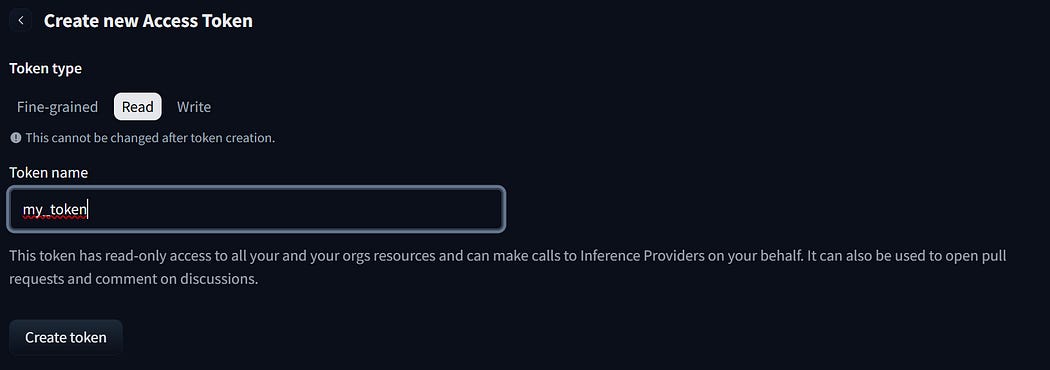
Token Type
Testing
You can test your token as follows:
#!/bin/bash
HF_TOKEN=YOUR_TOKEN
curl https://router.huggingface.co/v1/chat/completions \
    -H “Authorization: Bearer $HF_TOKEN” \
    -H ‘Content-Type: application/json’ \
    -d ‘{
        “messages”: [
            {
                “role”: “user”,
                “content”: “How many G in huggingface?”
            }
        ],
        “model”: “openai/gpt-oss-120b:fastest”,
        “stream”: false
    }’
This will deliver a text completion. You can analyze images:
#!/bin/bash
HF_TOKEN=YOUR_TOKEN
curl https://router.huggingface.co/v1/chat/completions \
    -H “Authorization: Bearer $HF_TOKEN” \
    -H ‘Content-Type: application/json’ \
    -d ‘{
  “model”: “Qwen/Qwen2.5-VL-7B-Instruct:hyperbolic”,
  “messages”: [
    {
      “role”: “user”,
      “content”: [
        {
          “type”: “text”,
          “text”: “Extract all text from this image”
        },
        {
          “type”: “image_url”,
          “image_url”: {
            “url”: “https://ciir.cs.umass.edu/irdemo/hw-demo/page_example.jpg”
          }
        }
      ]
    }
  ]
}
‘
The image can also be provided as data URIs, for example:
#!/bin/bash
HF_TOKEN=YOUR_TOKEN
BASE64=$(cat ./example.jpg|base64 -w0)
URL=”data:image/jpeg;base64,$BASE64”
curl https://router.huggingface.co/v1/chat/completions \
 -H “Authorization: Bearer $HF_TOKEN” \
 -H ‘Content-Type: application/json’ \
 -d @- <<EOF
{
  “model”: “Qwen/Qwen2.5-VL-7B-Instruct:hyperbolic”,
  “messages”: [
    {
      “role”: “user”,
      “content”: [
        {
          “type”: “text”,
          “text”: “Extract all text from this image”
        },
        {
          “type”: “image_url”,
          “image_url”: {
            “url”: “$URL”
          }
        }
      ]
    }
  ]
}
EOF
Mendix Integration
For the Mendix domain model, start by creating the JSON structures for the import and export mappings:
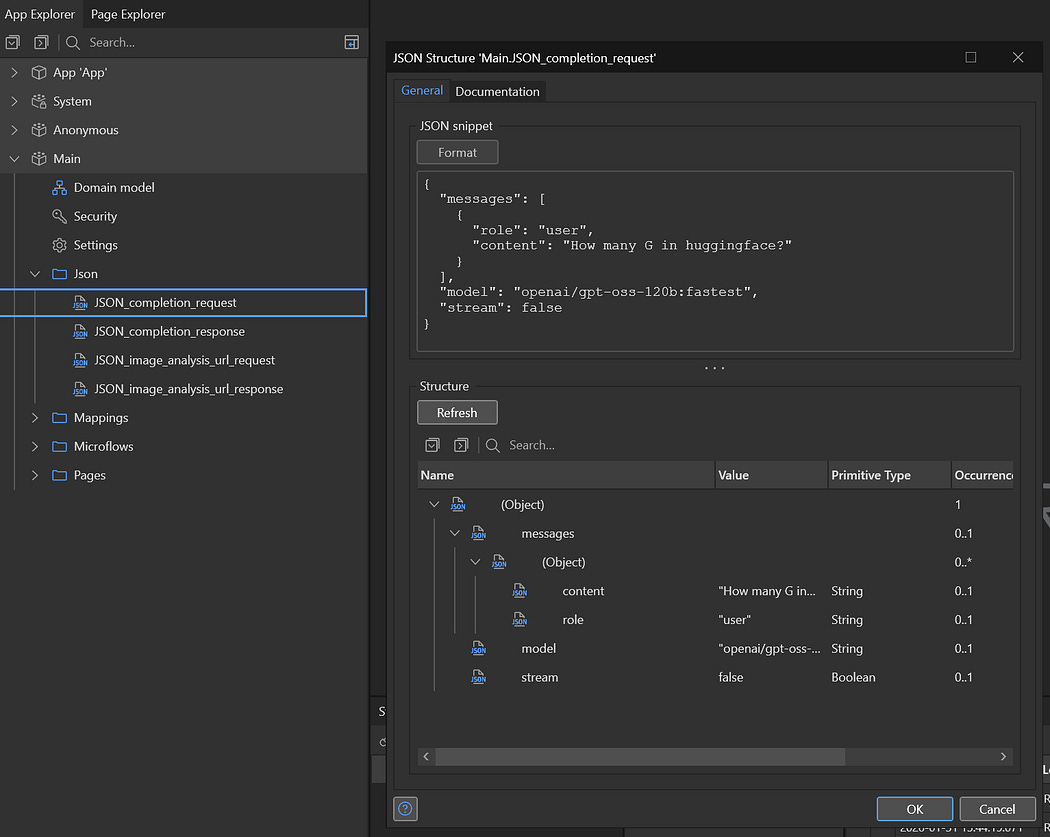
JSON Structures
You can the use the sample CURL scripts provided to get the values for the requests and run them to get sample responses to paste into the response JSON structures.
After this, set up export and import mappings using the JSON structures:
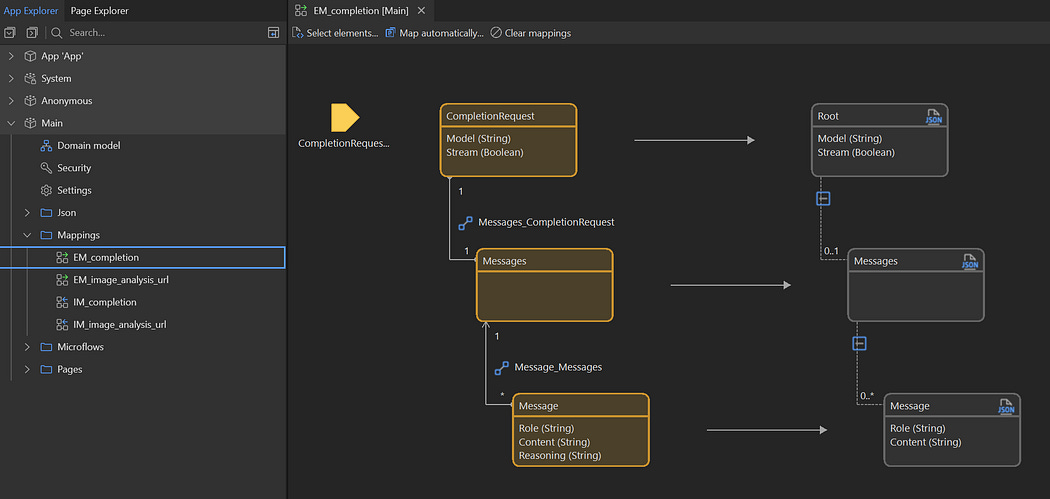
Configuring Mappings
Use the automatic mapping features of the Export and Import mapping designer to create the domain for you, and modify the generated domain as required.
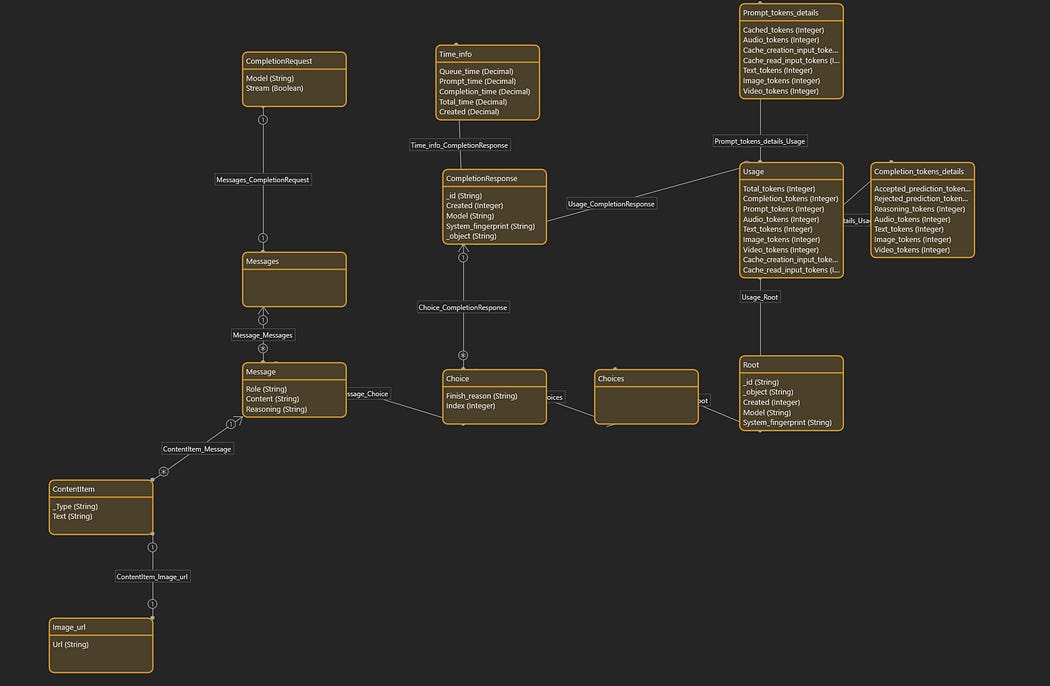
Domain
Also create a configuration entity to store your token:

Configuration
With all this in place you can now write Microflows using Hugging Face.

Simple Text Completion Microflow
To send System.FileDocument entities to Hugging Face for analysis or OCR, use the Base64 Encode Java Action from Community Commons:
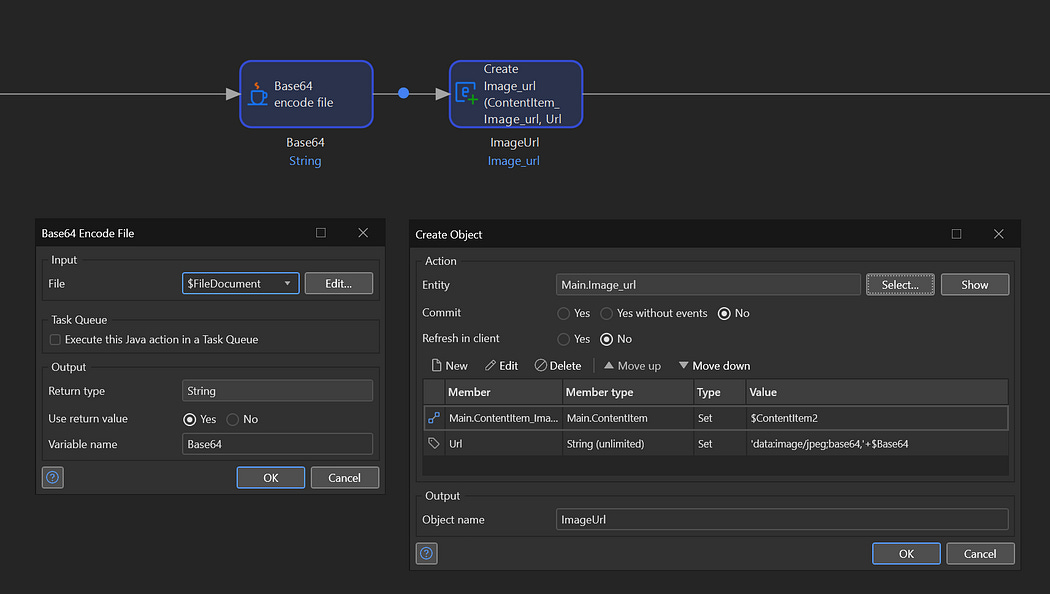
Converting FileDocuments to Base64
Conclusion
Integrating Hugging Face AI into Mendix opens up possibilities for building intelligent applications without deep AI expertise. With just domain models, JSON structures, and microflows, you can leverage language models and vision AI.


Comments
Post a Comment