SAP CAP File Integration

Introduction
In a previous post we looked at working with CAP files through OData. Now let’s look at implementing event handlers in a way that the files are not stored and retrieved from the CAP database, but from an external database via REST. Typically this would be something like S3 or Azure, but in this case I implemented a simple file storage in Mendix, so we’ll integrate with that.
Original article available here.
CAP Project Setup
Create a new CAP project and install dependencies:
cds init file-integration
cd file-integration
npm install
Edit package.json to use sqlite:
{
  ...
  “cds”: {
    “requires”: {
      “db”: {
        “kind”: “sqlite”,
        “credentials”: {
          “database”: “db.sqlite”
        }
      }
    }
  }
}
Define the Data Model and Service
Create db/schema.cds:
namespace com.test;
using { managed } from ‘@sap/cds/common’;
entity File : managed {
  key ID      : UUID;

  // The media content field
  @Core.MediaType: mediaType
  content     : LargeBinary;

  // The media type field (MIME type)
  @Core.IsMediaType
  mediaType   : String;

  // Optional: Additional metadata
  fileName    : String(255);
  fileSize    : Integer;
}
Next, create srv/test-service.cds:
using { com.test as db } from ‘../db/schema’;
service TestService {
  entity File as projection on db.File;
}
Implement Event Handlers
const cds = require(’@sap/cds’);
const axios = require(’axios’);
const FormData = require(’form-data’);

const LOG=cds.log(”test”);
const REMOTE_UPLOAD_URL = process.env.REMOTE_UPLOAD_URL;
const REMOTE_DOWNLOAD_URL = process.env.REMOTE_DOWNLOAD_URL;
const REMOTE_USERNAME = process.env.REMOTE_USERNAME;
const REMOTE_PASSWORD = process.env.REMOTE_PASSWORD;

module.exports = async function() {
 const { File } = this.entities;

//Custom UPDATE handler - Send content from external server
 this.before(”UPDATE”,File,async(req)=>{
  if (req.data.content !== undefined) {
   try {
    const fileId = req.data.ID || req.params[0]?.ID;
    const file = await SELECT.one.from(File).where({ ID: fileId });
    if (!file) {
     req.reject(404, ‘File not found’);
    }
    const buffer = req.data.content;
    const formData = new FormData();
    formData.append(’file’, buffer, {
     filename: file.fileName || ‘file’,
     contentType: file.mediaType || ‘application/octet-stream’
    });
    formData.append(’filename’,file.fileName || ‘file’);
    formData.append(’contentType’,file.mediaType || ‘application/octet-stream’);
    formData.append(’id’,fileId );
    const uploadResponse = await axios.post(
      REMOTE_UPLOAD_URL,
      formData,
      {
        headers: {
     “Authorization”:’Basic ‘ + btoa(REMOTE_USERNAME + ‘:’ + REMOTE_PASSWORD),
          ...formData.getHeaders()
        },
        maxContentLength: Infinity,
        maxBodyLength: Infinity
      }
    );
    if (uploadResponse.data.success) {
     delete req.data.content;
    } else {
     req.reject(500, ‘External upload failed’);
    }
   }catch(e){
    LOG.error(”Failed to upload file to external server: “+e.toString());
   }
  }
 });

 //Custom READ handler - Fetch content from external server
 this.on(’READ’, File, async (req, next) => {
  if (req._.req?.url?.includes(’/content’)) {
   const urlMatch = req._.req.url.match(/File\(([^)]+)\)/);
   const fileId = urlMatch[1].replace(/’/g, ‘’);
   const file = await SELECT.one.from(File).where({ ID: fileId });
   if (!file) {
    req.reject(404, ‘File not found’);
   }
   const downloadResponse = await axios.get(
    REMOTE_DOWNLOAD_URL+”/”+file.ID,
    {
     headers: {
      “Authorization”:’Basic ‘ + btoa(REMOTE_USERNAME + ‘:’ + REMOTE_PASSWORD),
     },
     responseType: ‘arraybuffer’
    }
   );
   req._.res.setHeader(’Content-Type’, file.mediaType || ‘application/octet-stream’);
   req._.res.setHeader(’Content-Disposition’, `inline; filename=”${file.fileName}”`);
   req._.res.send(Buffer.from(downloadResponse.data));
  } else {
   return next();
  }
 });

};
Above we implement a custom update function for updating the file on the remote server. We get the target File from the CAP database, sets up the FormData for the remote request for the filename and contentType form fields, and set up the file field with the binary data from the request. With all that in place we can make a request to the remote server to update the file using axios .
Also implemented is a custom read function for reading the file contents from the remote server. Instead of reading and responding the file content from the CAP database, we modify the response headers and send out the binary data we got from axios .
Mendix (Remote Server)
Start by setting up a FileDocument entity as follows:
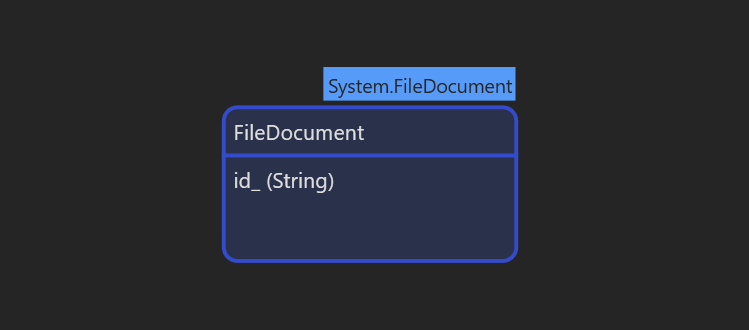
FileDocument
The id_ field was added to store the CAP file ID.
Next create a simple overview page for the FileDocuments:
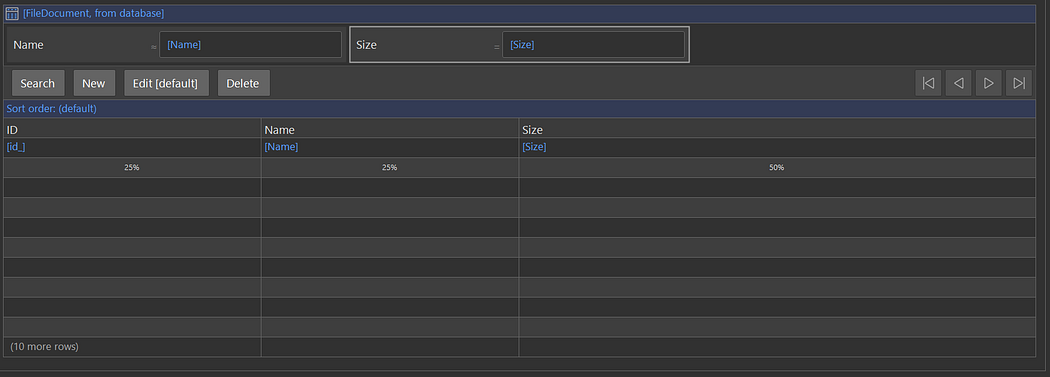
Overview Page
For the upload functionality, we create a Microflow as follows:
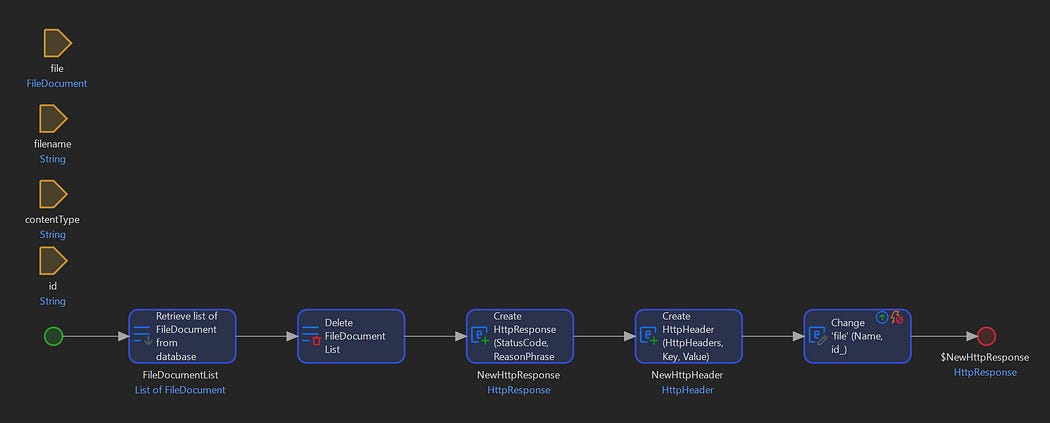
Upload Microflow
Here we clear out any old files and keep the new one, and respond with {"success":true}
For downloading a file, we select the first FileDocument with a matching id_ field:
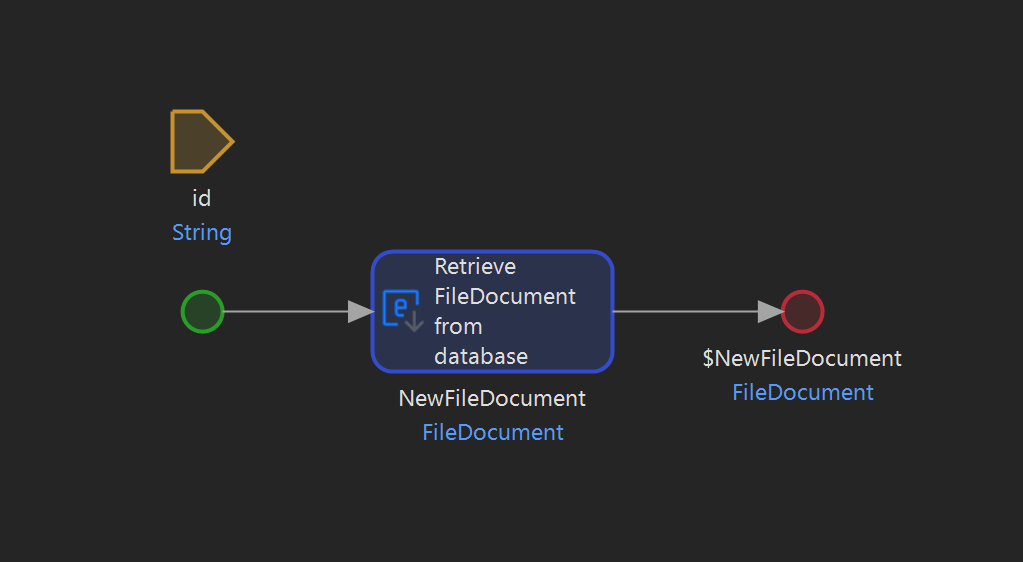
Download Microflow
Finally we have a published rest service exposing the Microflows as rest service to be consumed by the CAP application:
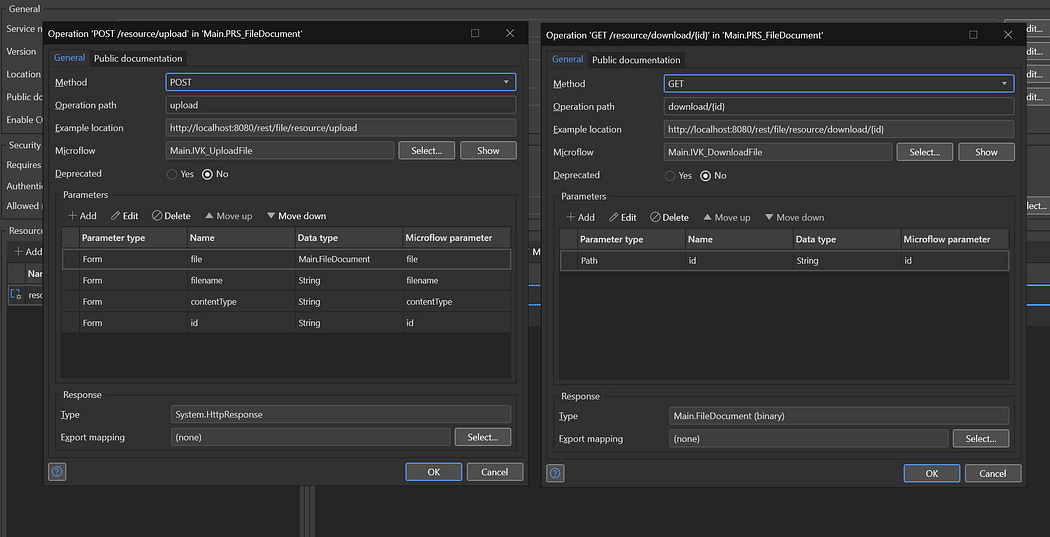
Published Rest Service
At this point you can run both servers. The following script should illustrate the remote file functionality:
#!/bin/bash
ID=$(
 curl -s -X POST http://localhost:4004/odata/v4/test/File\
      -H “Content-Type: application/json” \
      -d ‘{
   }’ | jq ‘.ID’ -r
)
curl -s -X PUT “http://localhost:4004/odata/v4/test/File($ID)/content” \
  -H “Content-Type: image/jpeg” \
  --data-binary @./test.jpg
After running this the remote server should list the new file and requesting the file from CAP should do so via the remote server:
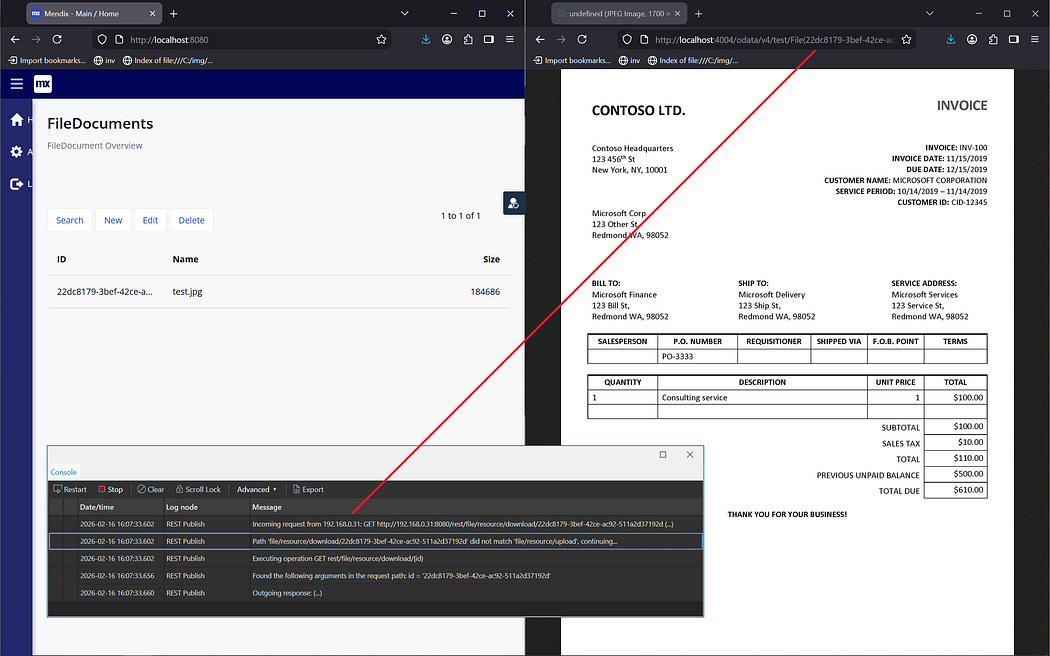
Demonstration


Comments
Post a Comment