Text-to-Speech with ElevenLabs: Mendix Quick Start Guide

Introduction
ElevenLabs gives you realistic AI-generated voices through a REST interface. This guide shows you how to convert text to speech using ElevenLabs and Mendix.
Prerequisites
You can set up a free ElevenLabs account and generate an API key by going to the Developers section.
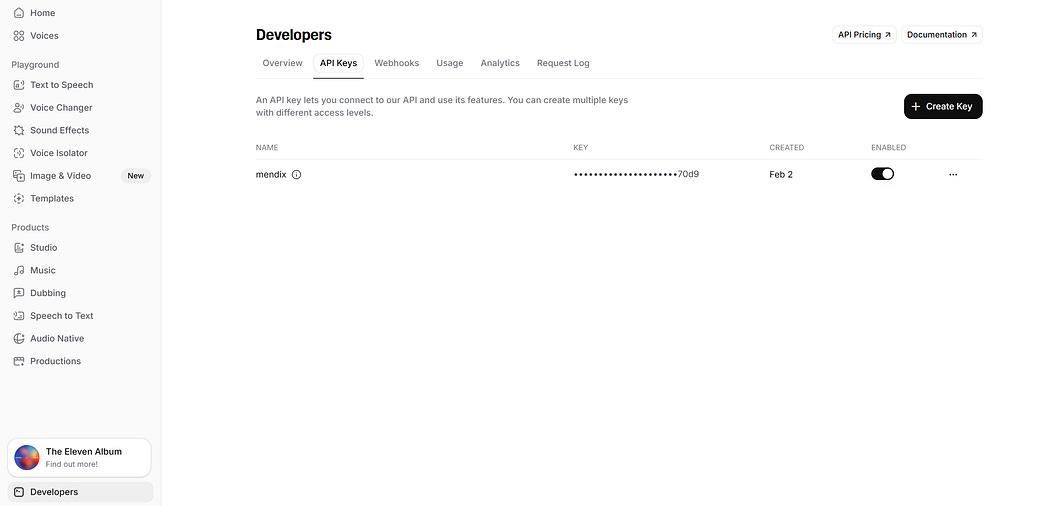
Setting up an ElevenLabs API Key
Next, you can test the API by using the text-to-speech service as follows:
curl -X POST “https://api.elevenlabs.io/v1/text-to-speech/21m00Tcm4TlvDq8ikWAM” \
  -H “xi-api-key: YOUR_API_KEY” \
  -H “Content-Type: application/json” \
  -d ‘{
    “text”: “Test of ElevenLabs text to speech.”,
    “model_id”: “eleven_monolingual_v1”,
    “voice_settings”: {
      “stability”: 0.5,
      “similarity_boost”: 0.75
    }
  }’ \
  --output speech.mp3
You can get the available voices as follows:
curl “https://api.elevenlabs.io/v1/voices” \
  -H “xi-api-key: YOUR_API_KEY”
This should deliver a response similar to the following:
{
  “voices”: [
    {
      “voice_id”: “21m00Tcm4TlvDq8ikWAM”,
      “name”: “Rachel”,
      “category”: “premade”
    },
    {
      “voice_id”: “AZnzlk1XvdvUeBnXmlld”,
      “name”: “Domi”,
      “category”: “premade”
    }
  ]
}
You can use different voices by replacing the VOICE_IDvalue:
curl -X POST “https://api.elevenlabs.io/v1/text-to-speech/{VOICE_ID}” \
  -H “xi-api-key: YOUR_API_KEY” \
  -H “Content-Type: application/json” \
  -d ‘{
    “text”: “This is Antoni speaking.”,
    “model_id”: “eleven_monolingual_v1”
  }’ \
  --output antoni.mp3
Multilingual models are also available and can be set in the model_id field, for example:
curl -X POST “https://api.elevenlabs.io/v1/text-to-speech/21m00Tcm4TlvDq8ikWAM” \
  -H “xi-api-key: YOUR_API_KEY” \
  -H “Content-Type: application/json” \
  -d ‘{
    “text”: “Bonjour!”,
    “model_id”: “eleven_multilingual_v2”
  }’ \
  --output french.mp3
You can monitor your API usage using the following:
curl “https://api.elevenlabs.io/v1/user/subscription” \
  -H “xi-api-key: YOUR_API_KEY”
Using ElevenLabs in Mendix
Begin by creating a JSON structure for the text-to-speech request:
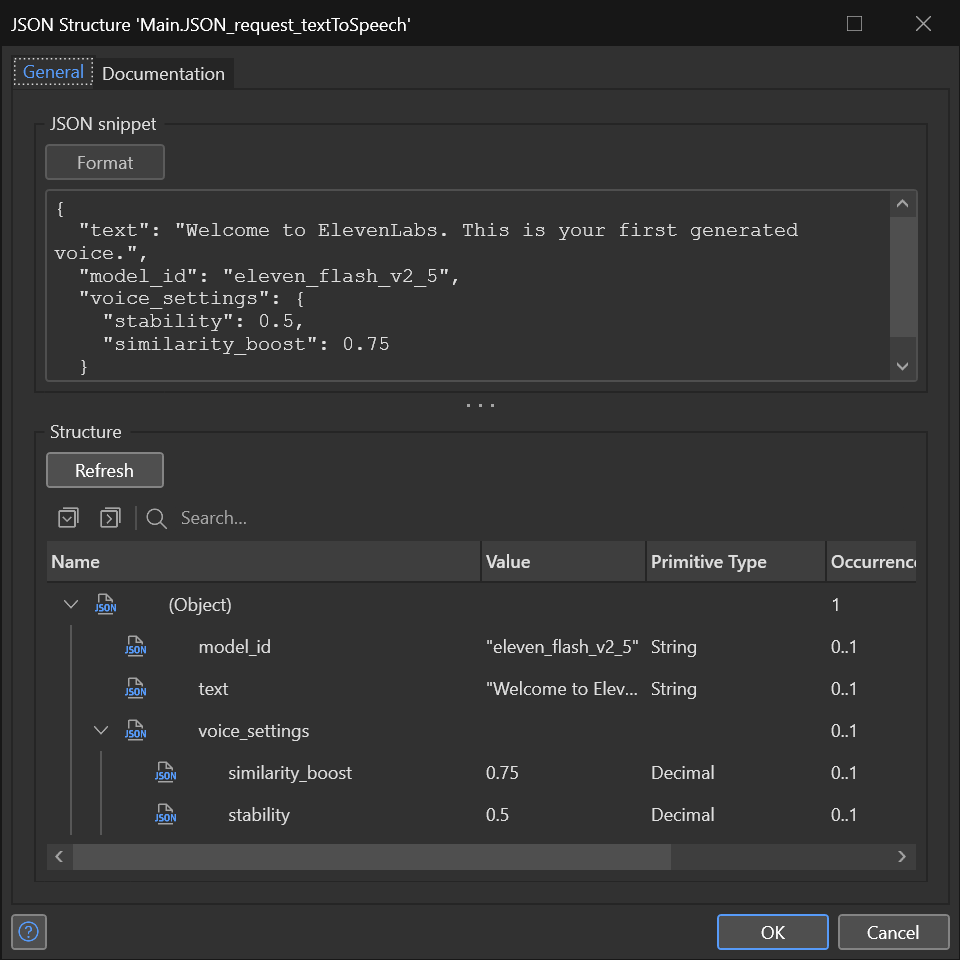
Text-to-speech Request JSON
Next create an export mapping using this JSON structure:
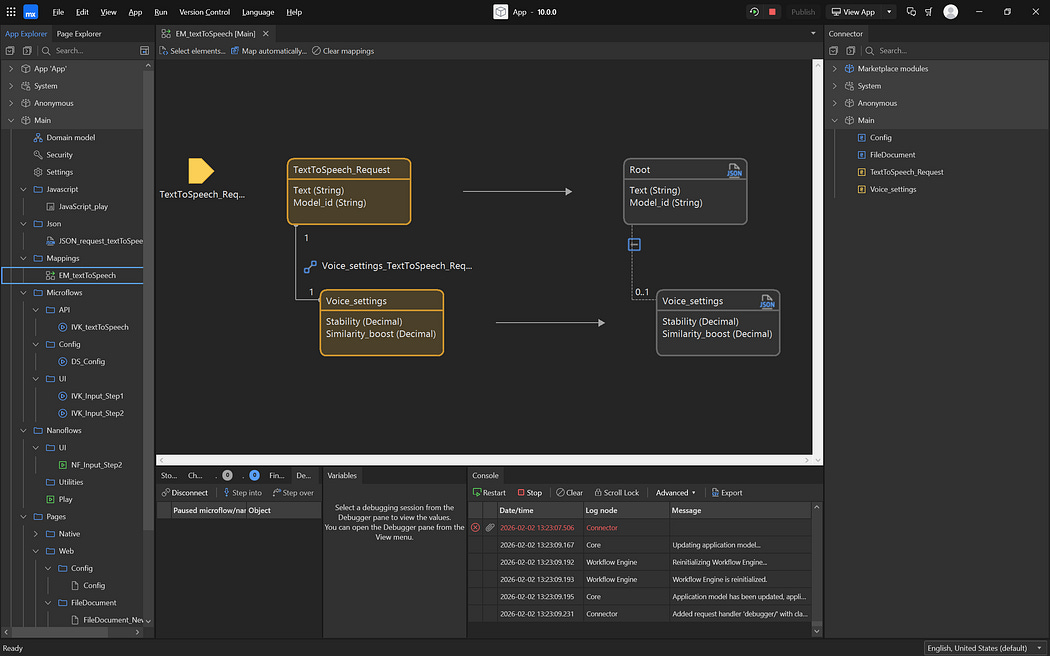
Export Mapping
After that you can use the automatic mapping feature to create the request entities:
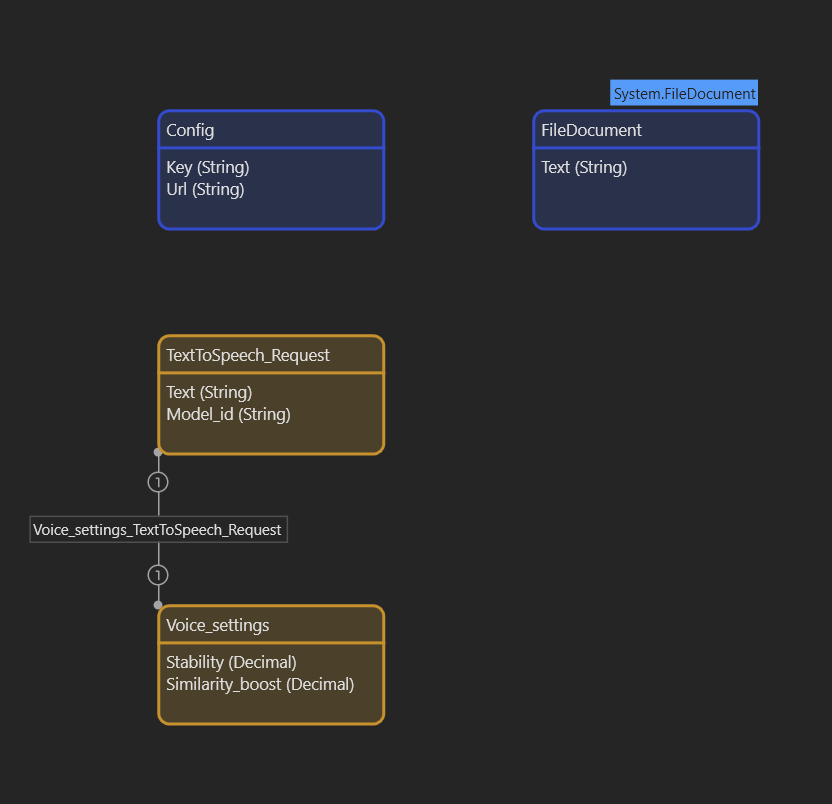
Domain
Note that we also set up a Config entity for the URL and API Key, as well as a FileDocumentto store the MP3 returned by the service call. The FileDocument also has an attribute Text, which will store the text value sent through with the ElevenLabs request.
Next you can create a testing page:
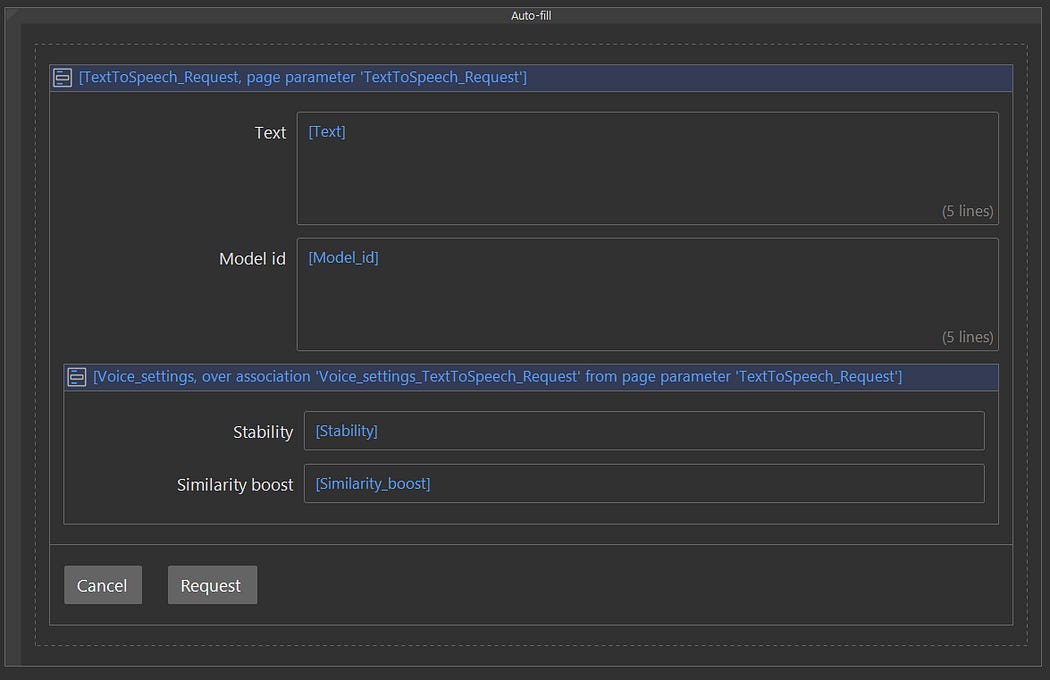
Test page
TheRequestbutton invokes a NanoFlow that will call the API and then play the MP3 file:
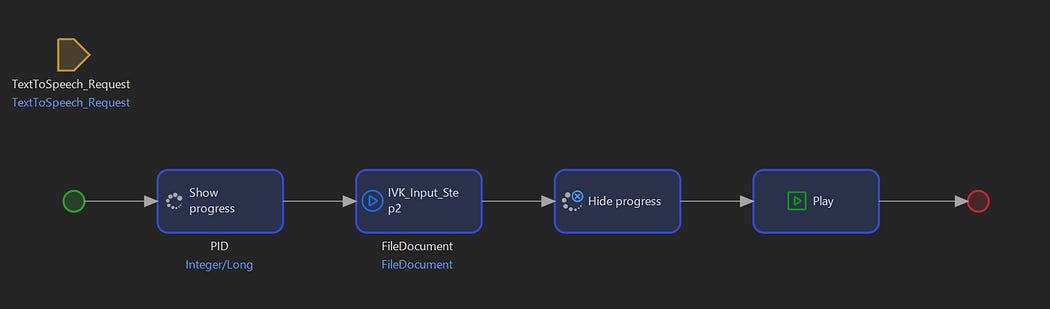
The Nanoflow
The NanoFlow calls a Microflow that calls the ElevenLabs text-to-speech service:
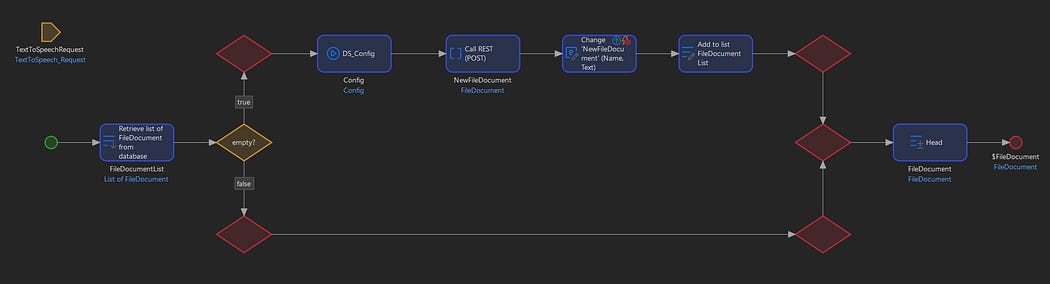
The Microflow
First a check is performed to see if a FileDocument exists with the specified text. If one is found, this will be returned. If it is not found, a request is made to ElevenLabs, and the FileDocument returned by the API call is updated with the text specified in the request. This way you can cut down on API calls.
In the Nanoflow there is a JavaScript action that sets up the FileDocument URL and uses the JavaScript API to play back the audio:
import “mx-global”;
import { Big } from “big.js”;
export async function JavaScript_play(file) {
 try{
  let url=window.location.origin+’/file?guid=’+file.getGuid()+”&changedDate=”+(new Date).getTime()+”&name=”+file.get(”Name”)+”&target=inline”;
    const audio = new Audio(url);
    await audio.play();
  return(Promise.resolve());
 }catch(e){
  return(Promise.reject(e.toString()));;
 }
}
The entire integration took only a couple of minutes, and adds realistic text-to-speech capabilities to Mendix.


Comments
Post a Comment